wecom-calendar-cli
Sync WeCom calendars into a local store and query them from your terminal — built for coding agents.
WeCom / Enterprise WeChat
CalDAV → SQLite
Built for agents
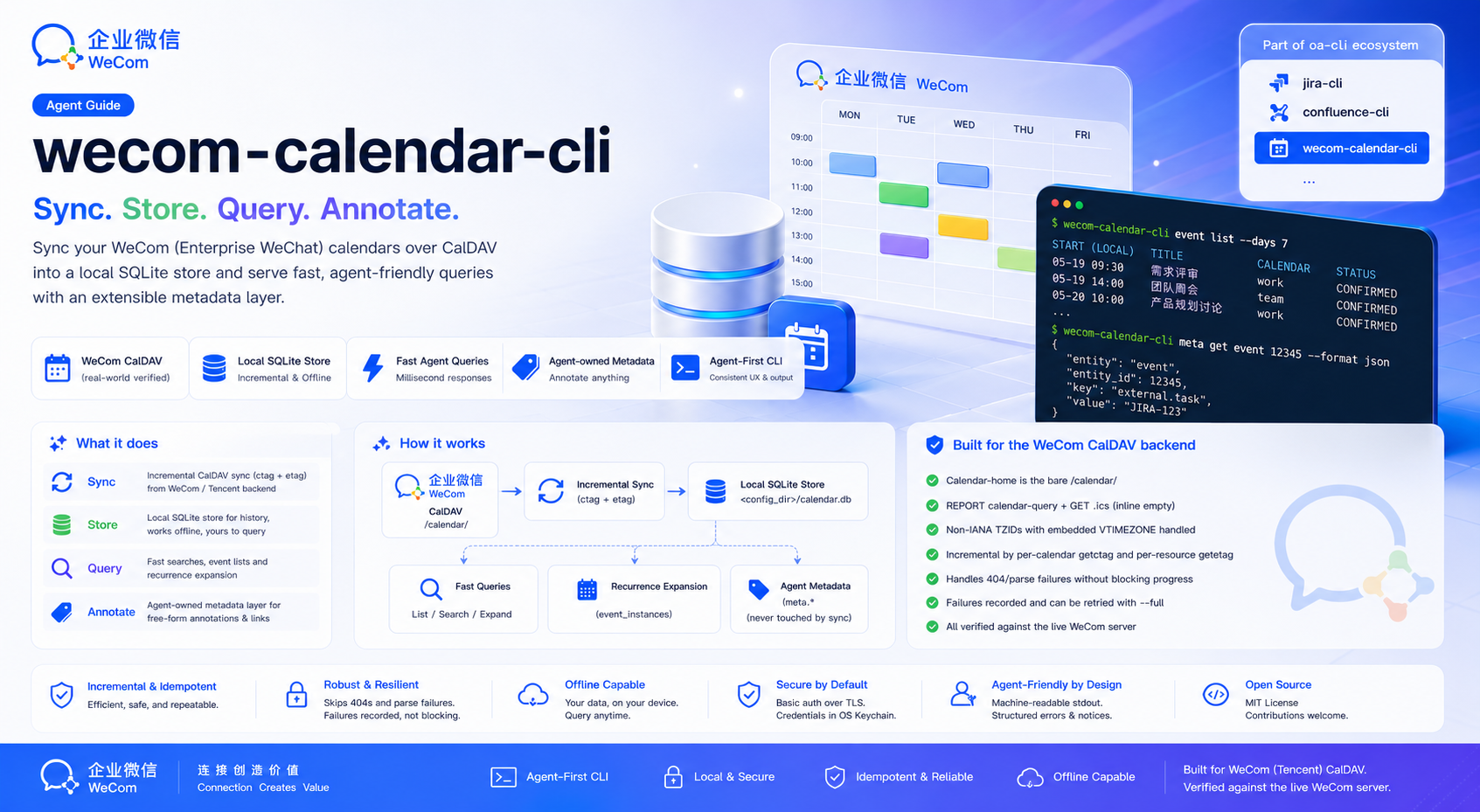
Sync WeCom calendars into a local store and query them from your terminal — built for coding agents.
Sync once, query offline, and annotate events with output a coding agent can act on.
Pull CalDAV changes into SQLite by per-calendar change-tag — unchanged calendars are skipped, only moved events re-fetched. Idempotent, with --full and --dry-run.
List events in any --from/--to window straight from the local store — recurring events expanded per occurrence, cross-calendar duplicates removed.
Attach free-form annotations to events by UID — namespaces, keys, JSON values — to classify them or link them to external tasks. Sync never touches them, so they survive every re-sync.
A stateful SQLite mirror you can query offline and annotate. Deleted events are soft-deleted (tombstoned), keeping history — and its metadata — resolvable.
JSON by default, with structured errors and read-only recovery steps, and a stale notice when the store falls behind. A committed write is never reported as a plain failure.
The non-standard Tencent backend — bare /calendar/ home, per-.ics GET bodies, non-IANA embedded TZIDs — is handled for you. Credentials live in the OS keychain.
Tencent's official wecom-cli lists events only within 30 days before or after today. This CLI syncs over CalDAV — the endpoint WeCom provides for other calendar apps — which has no such limit. The two are built for different jobs and work best installed side by side.
sync.meta layer.wecom-cli does not list them.Reach for wecom-cli to book, move or cancel something, or to work with the rest of WeCom. Reach for wecom-calendar-cli to look back, to query without a network round trip, and to classify events or link them to tasks in a layer that outlives every refresh.
Recurring events are expanded from two years back to one year ahead by default; expand widens that. Checked against wecom-cli 1.3.2 on 2026-10-05.
Install with npm, then finish setup in two steps — deploy the Skill, then turn on shell completion.
# recommended — fetches the prebuilt binary for your platform
npm install -g @angelmsger/wecom-calendar-cli
Other methods — go install, a source build, or a prebuilt binary from the
Releases page.
Then finish setup:
A wecom-calendar Skill is embedded in the binary. It detects your coding agents — Claude Code, Codex, Cursor and ten more — and installs for each one found:
$ wecom-calendar-cli skill install
# Re-run after CLI upgrades, then reload the agent context.
Completes subcommands, flag values and live calendar ids. Load it once:
$ source <(wecom-calendar-cli completion bash)Credential note. Auth is HTTP Basic — your WeCom email plus an app-specific CalDAV password from the WeCom mobile app (Workbench → Calendar → settings → Sync to other calendars). Fetching a new one invalidates the previous.
Team setup. Preset the service once with wecom-calendar-cli config set-context — offline, without credentials — and each member reuses the login they already have with auth reuse, or runs auth guide and auth login for their own password.
Team setup and personal login.
Configure a server, sync into the local store, then query and annotate.
# configure, then verify connectivity
$ wecom-calendar-cli config init
$ wecom-calendar-cli doctor

# pull calendars + events into the local store, then query a window
$ wecom-calendar-cli sync
$ wecom-calendar-cli event list --from 2026-07-01 --to 2026-08-01

# annotate an event (uid from an event-list item) and link it to a task
$ wecom-calendar-cli meta set <uid> task feishu_project "6949886165" --source agent
$ wecom-calendar-cli meta get <uid>
Sync, query, annotate — plus the family's setup and diagnostics. Every flag and example lives in the full CLI reference.
Pull CalDAV changes into the local store — incremental, idempotent, with --full and --dry-run.
List calendars from the store, or re-list from the server with --refresh.
Query events in a --from/--to window, or look back with --since 7d.
Set, get, list and delete the agent-owned metadata layer, keyed by event UID.
configSetup wizard, offline team presets with set-context, plus multi-server context management.
Find out where the CalDAV password comes from, verify and store it with your WeCom email, or reuse the login another context already has.
doctorDiagnose configuration, credentials, connectivity and store freshness.